HTMLRadar · Examples
Claude artifact examples you can open and use.
Updated September 2026
A Claude artifact is a document or small app that Claude builds in a chat and saves as one HTML file. The ten below are live HTMLRadar links: open each one, click through it, and copy the prompt that made it.
Each does one thing a PDF cannot. Each is sent through HTMLRadar, so the sender chose who could open it and sees who read which sections. Every company and figure is invented.
Send your own as a tracked linkSelling
Client proposal
For account managers who want the client to shape the deal as they read it.
What a PDF cannot do
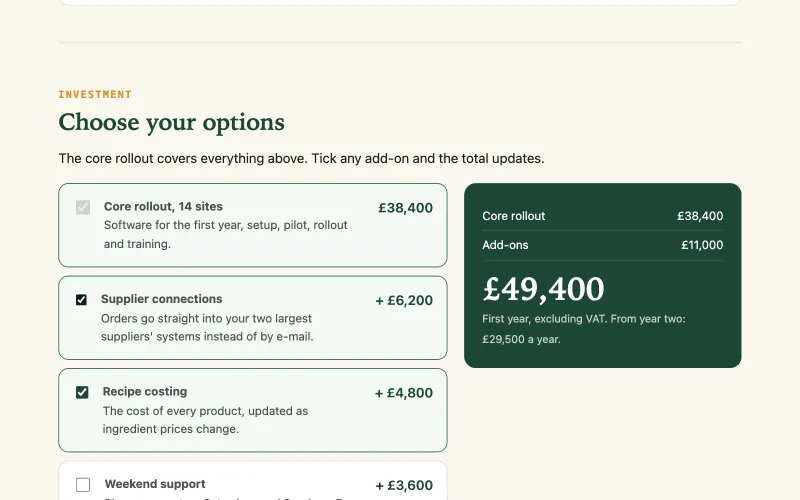
The client ticks add-ons and watches the £38,400 first-year total change.
The promptWrite a client proposal as a single HTML file from Fernhollow, a company that sells stock and ordering software for food businesses, to Quillmere Foods, a chain of 14 bakeries. Include a short summary with three headline numbers, four workstreams that each expand to show deliverables and timing, an investment section where the client can tick three optional add-ons and see the first-year total update, a twelve-week timeline and next steps. Prices in pounds, all figures invented. Put an "Example data" label at the top and a note at the bottom that the companies are fictional. Make it look polished and work on a phone.
Pricing page
For founders and marketers who send pricing before the first call.
What a PDF cannot do
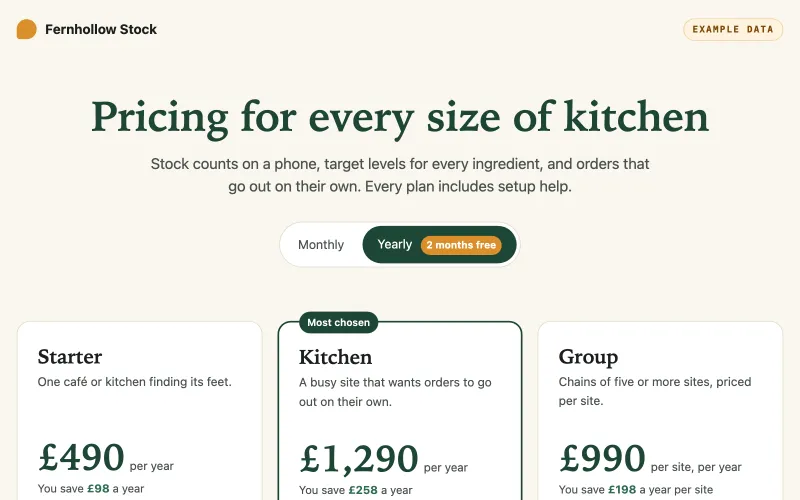
One switch flips every price to yearly, where a year costs ten months.
The promptMake a pricing page for Fernhollow Stock, stock and ordering software for cafés and kitchens, as one self-contained HTML file. Three plans: Starter, Kitchen and Group (priced per site, from five sites). Add a Monthly and Yearly switch that changes every price and shows the yearly saving, with a year costing the same as ten months. Then a feature comparison table and four short questions and answers. Prices in pounds, all invented. Label it "Example data" and note that Fernhollow is a fictional company. It must look good on a phone.
Pitch one-pager with a calculator
For sales teams pitching an operations director.
What a PDF cannot do
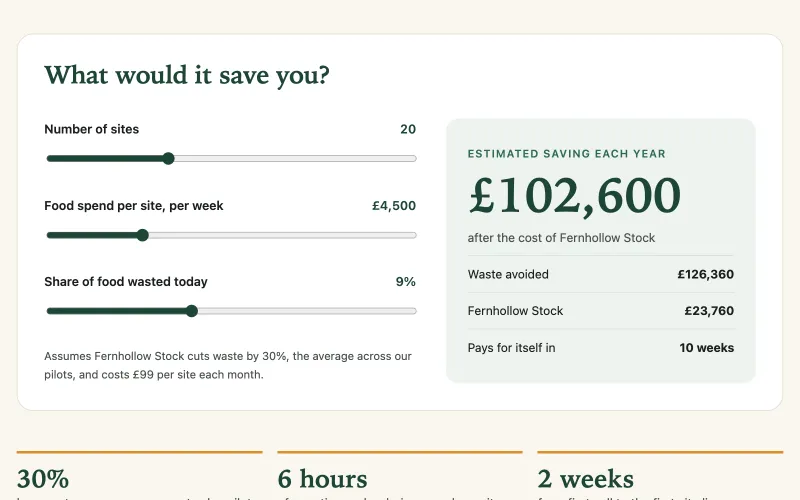
The buyer moves three sliders and sees the yearly saving on their own numbers.
The promptCreate a one-page pitch for Fernhollow Stock aimed at the operations director of a bakery chain, as a single HTML file. Open with the waste problem, then add a savings calculator with sliders for the number of sites, weekly food spend per site and the share of food wasted, showing the yearly saving after the software's cost of £99 per site a month, assuming waste falls by 30%. Add three proof points and a button to book a call. Invented figures, an "Example data" label, a note that the company is fictional, and a layout that works on a phone.
Reporting
Weekly sales dashboard
For sales leads whose Monday numbers go to people who each care about one region.
What a PDF cannot do
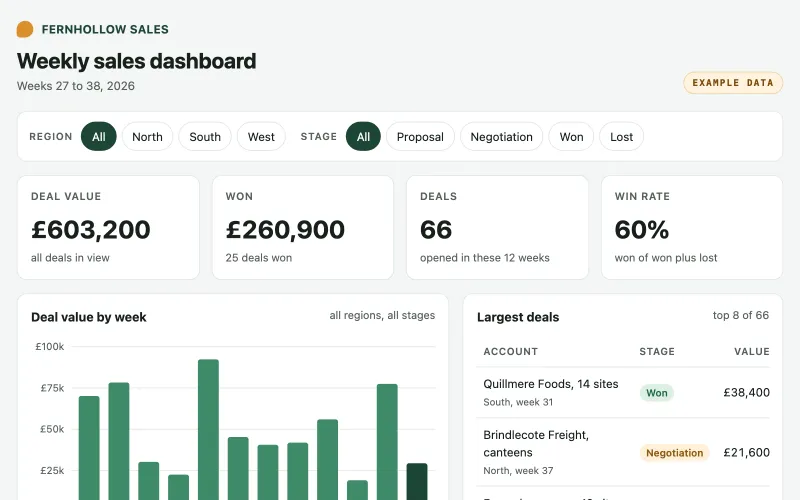
Pick a region and a stage: the headline numbers, the 12-week chart and the deals table update together.
The promptBuild a weekly sales dashboard for Fernhollow as one self-contained HTML file with no external libraries. Show four headline numbers (deal value, value won, number of deals, win rate), a bar chart of deal value by week for weeks 27 to 38 of 2026, and a table of the largest deals. Add filters for region (North, South, West) and deal stage (Proposal, Negotiation, Won, Lost) so the numbers, the chart and the table all update together. Generate invented deals from a fixed seed, and include Quillmere Foods and Brindlecote Freight as two of the accounts. Label it "Example data", note that the companies are fictional, and make it readable on a phone.
Quarterly business review
For account managers presenting a quarter to a client.
What a PDF cannot do
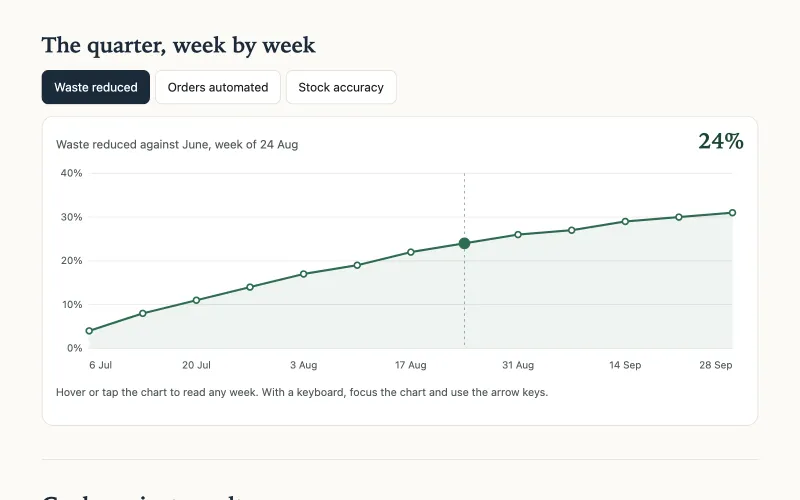
Tap any of the 13 weeks for its exact figure; three buttons switch the measure.
The promptWrite a quarterly business review from Fernhollow to its client Quillmere Foods, a 14-bakery chain, for Q3 2026, as a single HTML file with no external libraries. Include a short summary with three headline numbers; a line chart of the quarter week by week, with buttons to switch between waste reduced, orders automated and stock accuracy, where hovering or tapping a week shows its exact value and the arrow keys work too; a table of goals against results that includes two missed goals; and three priorities for Q4. Invented figures, an "Example data" label, a note that the companies are fictional, and it has to work on a phone.
Project status report
For project leads who report weekly and want problems seen first.
What a PDF cannot do
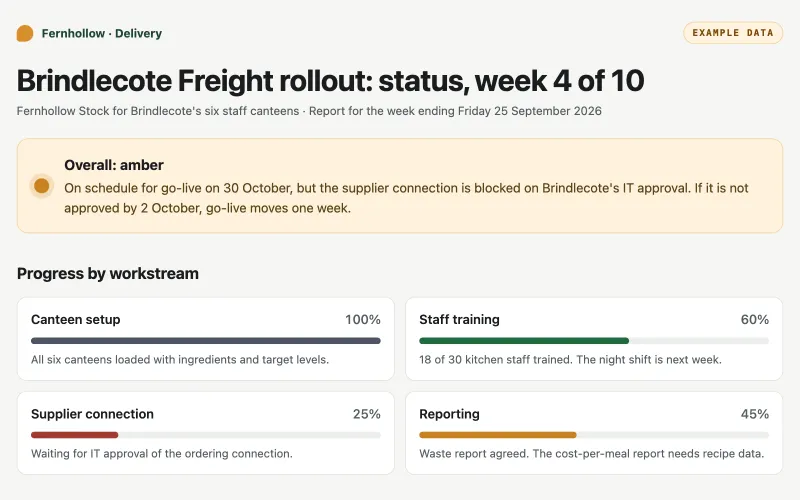
One tap narrows the 10 tasks to the 2 that are blocked.
The promptMake a project status report as a single HTML file for Fernhollow's rollout of its stock software at Brindlecote Freight's six staff canteens, week 4 of 10. Show the overall status (amber) with the reason, progress bars for four workstreams, a task list with filter buttons for on track, at risk, blocked and done that show a count on each, a table of the top risks with owners and actions, and two decisions needed this week. Owners by role, not by name. Invented details, an "Example data" label, a note that the companies are fictional, and it should work on a phone.
Inside a team
Onboarding guide with a checklist
For managers giving a new hire the whole first week in one place.
What a PDF cannot do
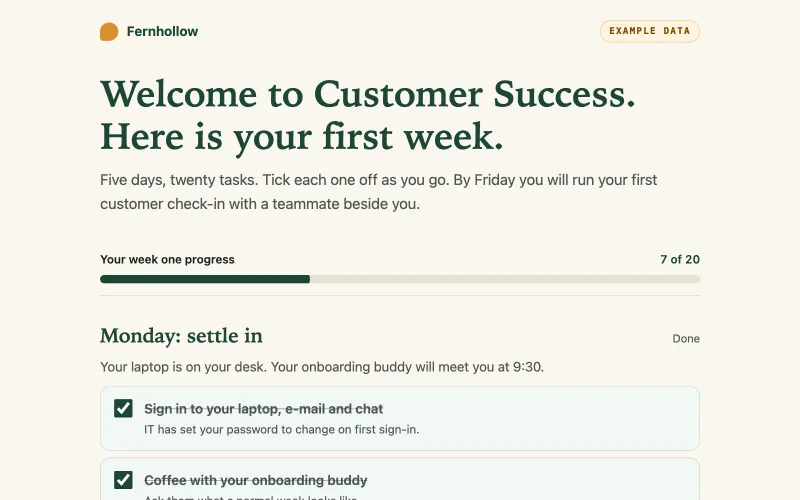
Tick a task and the progress bar shows how far through the week the new hire is.
The promptCreate a first-week onboarding guide for new customer success hires at Fernhollow, a company that makes stock software for kitchens, as a single HTML file. Organise it by day, Monday to Friday, with four tasks a day the new hire can tick off. A progress bar that stays at the top of the screen should fill as they tick, with a count for each day. Add who to ask for what (by role, not name) and a short glossary. Label it "Example data", note that the company is fictional, and make it work well on a phone.
Product spec with a table of contents
For product managers whose spec is read by engineers, designers and sales.
What a PDF cannot do
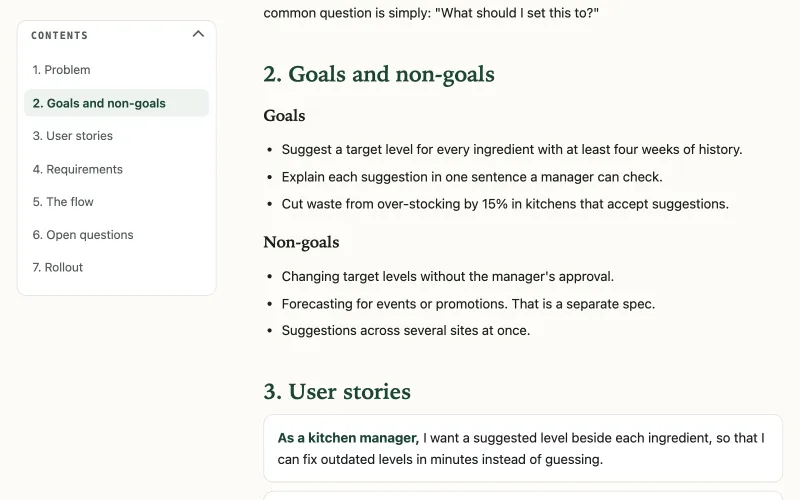
The contents stay beside the text and mark the section being read.
The promptWrite a product spec for a 'suggested target levels' feature in Fernhollow Stock, stock software for kitchens, as a single HTML file. Sections: problem, goals and non-goals, user stories, requirements with priorities, the flow, open questions and rollout. Add a table of contents that sits beside the text on a wide screen and highlights the section being read, and collapses into a menu at the top on a phone. Invented details, an "Example data" label and a note that the companies are fictional.
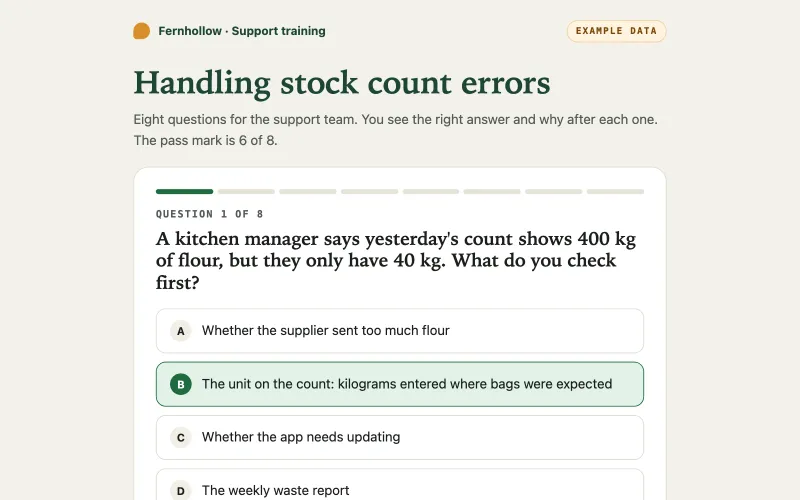
Training quiz
For team leads who need to know the training stuck.
What a PDF cannot do
It marks each of the 8 answers, explains the right one, and scores against a pass mark of 6.
The promptMake a training quiz for Fernhollow's support team on handling stock count errors, as a single HTML file. Eight multiple-choice questions shown one at a time, with the right answer and a short explanation after each choice, a progress bar, a score at the end with a pass mark of 6, and a button to retry only the questions they got wrong. Label it "Example data", note that the company is fictional, and make it work on a phone and with a keyboard.
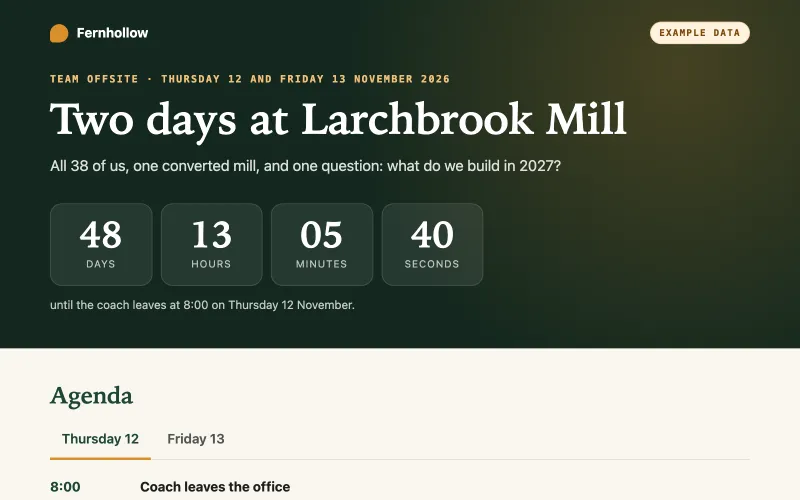
Event plan with a countdown
For whoever organises the offsite and answers the same questions twenty times.
What a PDF cannot do
A live countdown to the 8:00 coach, right on whatever day someone opens it.
The promptCreate an event plan for Fernhollow's two-day team offsite on Thursday 12 and Friday 13 November 2026 at a converted mill, as a single HTML file. Put a live countdown to the coach leaving at 8:00 on the first morning at the top, then an agenda with a tab for each day, travel and venue details, who to call for what (by role), and a packing list. Invent the venue and details, add an "Example data" label and a note that the company is fictional, and make it work on a phone.
Sharing HTML across a team?
One plan, one admin who sees every colleague’s documents, who opened them and which sections they read. $20 per person a month, from five people. Readers are always free.
See how teams work